Rotate and flip image
Turn or mirror your image.
Drop an image here
JPG / PNG / HEIC (Safari) · 20 MB · 25 MP
Your image stays on your device.
What turning and flipping did to file size
We pressed each button once on every test image and saved the result.
One press of each button
| Button | Photo example | Photos (JPG) | Screenshots (PNG) | Graphics (PNG) |
|---|---|---|---|---|
| 90° right | 2782 × 4190 | 60% | 88% | 187% |
| 90° left | 2782 × 4190 | 60% | 87% | 188% |
| 180° | 4190 × 2782 | 60% | 139% | 186% |
| Flip horizontally | 4190 × 2782 | 60% | 139% | 186% |
| Flip vertically | 4190 × 2782 | 60% | 139% | 186% |
Photo example is the result size for a 4190 × 2782 photo.
Source: our test on 2026-11-10 (harness eacd79c, site code eacd79c), headless Chromium 145 on a desktop Mac, 25 CC0 photos and 14 images we made. Sizes are a share of the original file size. How we test
How rotating works here
- It opens one JPG or PNG, and the browser decodes it upright: if the camera stored a turn flag (EXIF Orientation), it is applied first.
- Each button updates one small turn-and-mirror matrix. However often you press, the result is one of eight orientations, and the preview, at most 960 px, shows it.
- Create image draws the full picture once with that matrix. A quarter turn swaps width and height. Only quarter turns exist, so there are no blank corners.
- JPG is saved again at quality 0.92 on white; PNG keeps every pixel and its transparency. The page checks the new file's format and size before offering it.
- No turn flag is written: the pixels themselves face the right way. All of this runs in your browser.
Rotate and flip limits
| Limit | Value |
|---|---|
| File size | 20 MB |
| Image in | JPG or PNG, up to 25 megapixels and 16,384 px per side |
| Turns | Quarter turns left and right, a half turn, and two flips; no small angles |
| Format out | Same as in: JPG at quality 0.92, or PNG |
| HEIC (iPhone photos) | Opens in Safari, not in Chrome or Firefox. Why, and what to do |
| Location and camera data | Not copied: 0 of 180 files this tool made in our test had EXIF data. |
When rotating goes wrong
My photo is upright on my phone but sideways after I upload it. Why?
Phones often store the pixels sideways and add a flag, EXIF Orientation, that tells viewers to turn the picture. Sites that ignore or strip the flag show it sideways, a common complaint on help forums (user reports, for example this Quora question). We tested a photo stored at 1600 × 1200 with flag value 6: LighterPics opened it upright at 1200 × 1600, and 0 of the 88 files our tools made from it carried the flag. The turn is now in the pixels, so a file saved by any of our tools should show upright.
Is rotating a JPG lossless?
Not here. The JPG is decoded and saved again at quality 0.92; our turned photos scored a median 0.991 against the turned original and came out at about 60% of their file size. Tools such as jpegtran can turn a JPG without saving it again (jpegtran manual). PNG has no such loss: 50 of 50 PNG results matched the turned original pixel for pixel.
Why did my PNG get bigger after a turn?
With the same pixels, our graphics came out at 186% to 188% of their file size and screenshots at 87% to 139%, depending on the button. The browser's PNG encoder packs less tightly than many apps. Why new files can grow.
Turn it the right way
- Choose one still JPG or PNG, up to 20 MB and 25 megapixels.
- Rotate or flip the current preview. Reset restores the original orientation.
- Create, check and download. A quarter turn swaps width and height.
Is JPG rotation lossless?
No. JPG is decoded and re-encoded, which can change detail and file size. PNG keeps transparency. Only quarter turns are supported, without diagonal blank corners.
A quarter turn, the same pixel count
Rotate to correct a sideways picture; flip horizontally to mirror left and right. Flipping also reverses text, while a quarter turn changes which edge is at the top.

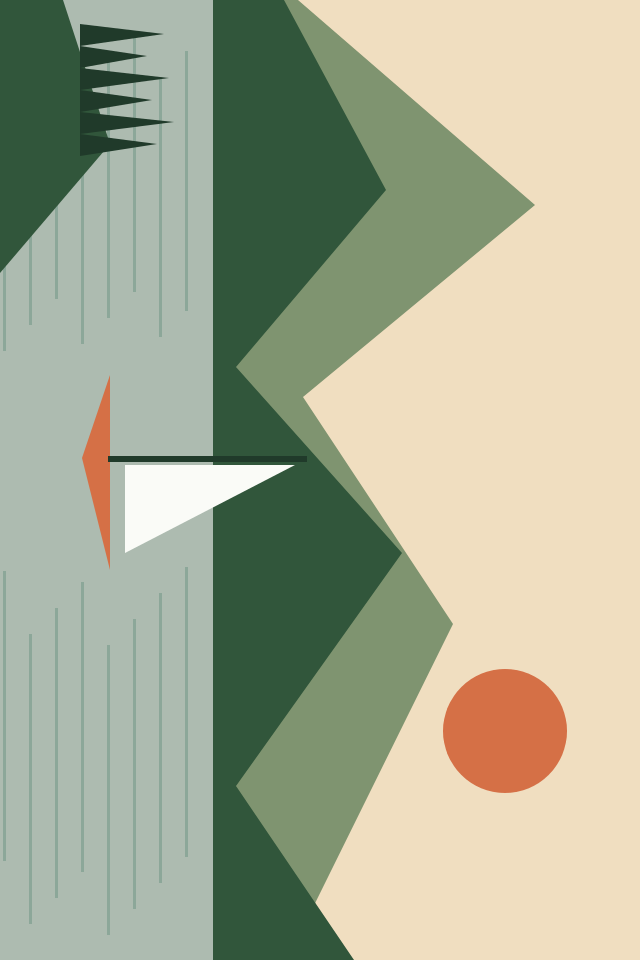
Open the original 960 × 640 PNG, choose 90° right once, then create the image. The result is 640 × 960. Reset restores the starting orientation.
Width and height swap, but the pixel count stays 614,400. PNG file size changes because the encoder sees a different arrangement of pixels. Equal pixel counts do not mean equal KB.
Original illustrations created by LighterPics and processed with this tool. Real example files, not predictions for your image. File sizes can vary by browser.
Measured: · Chromium 145.0.7632.6
Can I straighten a slightly tilted horizon?
Only 90° steps and flips are supported, not small-angle adjustments. A quarter turn creates no diagonal blank corners. Use an editor with angle controls to straighten a tilted horizon.
Should I save after every turn?
Finish the turns and flips in the preview, then create one result. Changes require a new download. Repeatedly saving and reopening JPG can add encoding loss, so keep the original.